What it costs. At home, at work, for the whole team.

The database client that costs nothing and asks for nothing.

Savoia Studio is a desktop app for PostgreSQL and MySQL, written in Rust and drawn on the GPU. No webview, no JVM. It opens fast and stays out of your way. More databases are coming soon.

  • Free trialnone, it's simply free
  • License keynone
  • Paid tiernone, every feature is in
  • Account or sign-innone
  • Telemetrynone
Download Support on Ko-fi

macOS, Windows and Linux. All downloads · Open source under MIT or Apache-2.0.

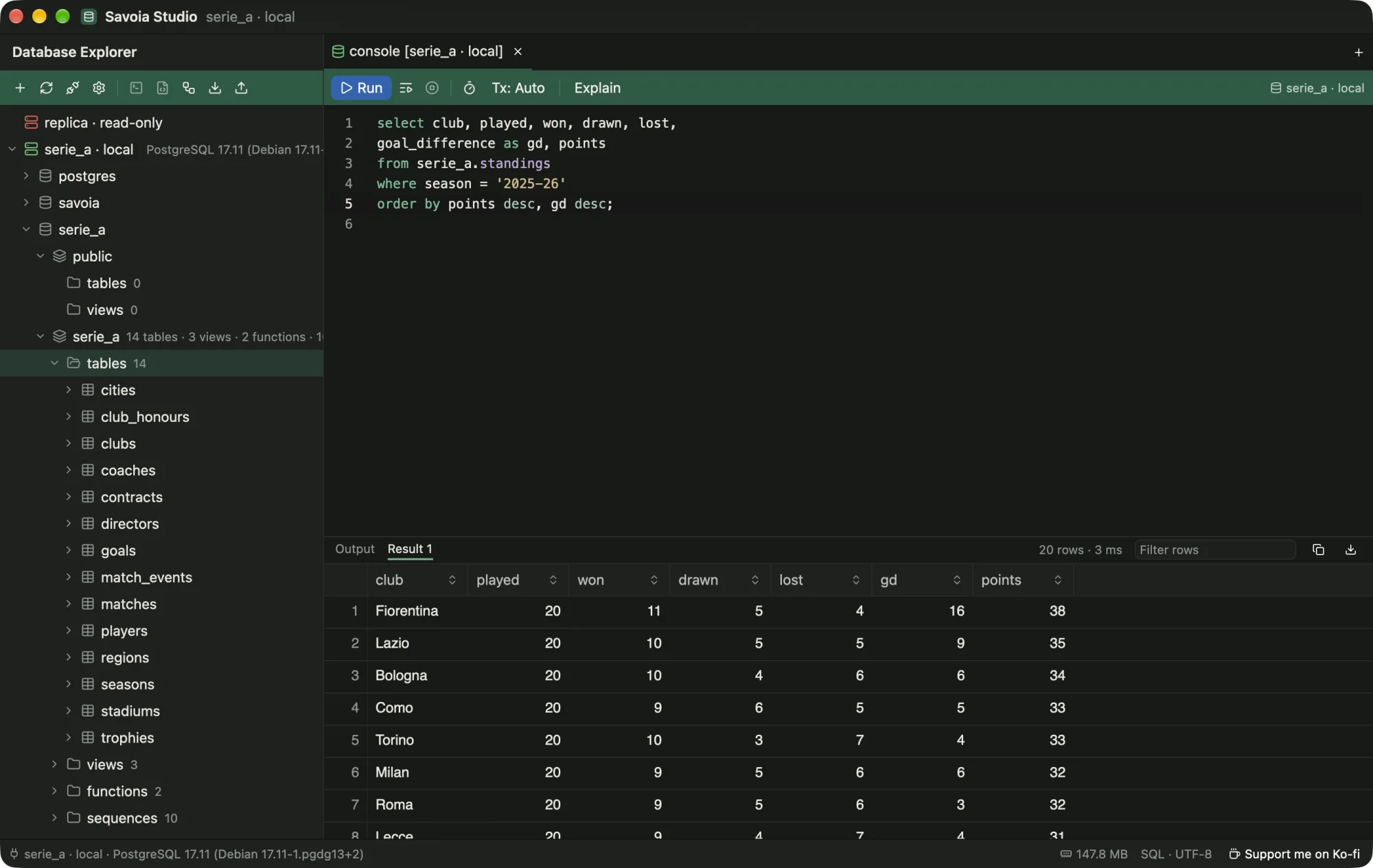
The real app, on the Serie A sample database. Savoia Studio's main window: the Database Explorer tree on the left, a SQL console with a standings query in the middle, and a result grid of 20 Serie A clubs below it.

Your daily loop, without the weight.

Connect, query, fix a row, move on. These are screen recordings of the app at normal speed, on a local Postgres with the sample database from the repository.

New data source: paste, Import, Test.

Connect in one paste.

Paste a postgres:// or mysql:// URL and Import fills the form. Test tells you it works before you save.

Give production a red tag and it shows on every tab and in the status bar, so you always know where you are typing. SSH tunnels, TLS modes and read-only sessions are on the same form.

Connecting, in detail
The console: completion after JOIN, then ⌘↩.

Completion that reads your foreign keys.

Type JOIN and Savoia offers the whole clause, clubs c ON c.id = p.club_id, straight from the schema. Tables and columns complete as you type.

⌘ ↩ runs the statement under the caret. Big results stream in, and you can cancel at any time.

Writing and running SQL
The data view: two edits, then Review SQL.

Edit rows. See the SQL first.

Double-click a cell to change it. Nothing is sent yet: edits wait as pending changes, and Review SQL shows the exact statements.

Commit runs them in one transaction. If anything fails, it all rolls back and your changes stay pending.

Browsing and editing data

Measured, not promised.

Native code is the point of Savoia. These are our own measurements of a release build, with the scripts in the repository so you can run them yourself.

MeasureResultHow
Start to first drawn frame205msMedian of 17 launches, with saved connections, theme and a console loaded. The first launch of a new build takes about 1.1 s while macOS scans it.
Memory, idle69MBPhysical footprint, as Activity Monitor shows it, 10 s after launch with the window open.
Frames over 16.7 ms, scrolling 1,000,000 rows01,200 timed frames of steady scrolling, flings and random jumps. Every frame landed at about 8.3 ms on a 120 Hz display (3 of 5 runs).

macOS 27 on an Apple M3 Pro. Windows and Linux are not measured yet. Methods and every run, good and bad: docs/benchmarks.

Everything is in the free version, because there is only one.

  • ExploreA schema tree that loads as you open it, with counts, ER diagrams, table structure and DDL.
  • QueryConsole tabs, schema-aware completion, multiple result sets, sort, filter, copy as CSV, JSON or INSERT, and a searchable history.
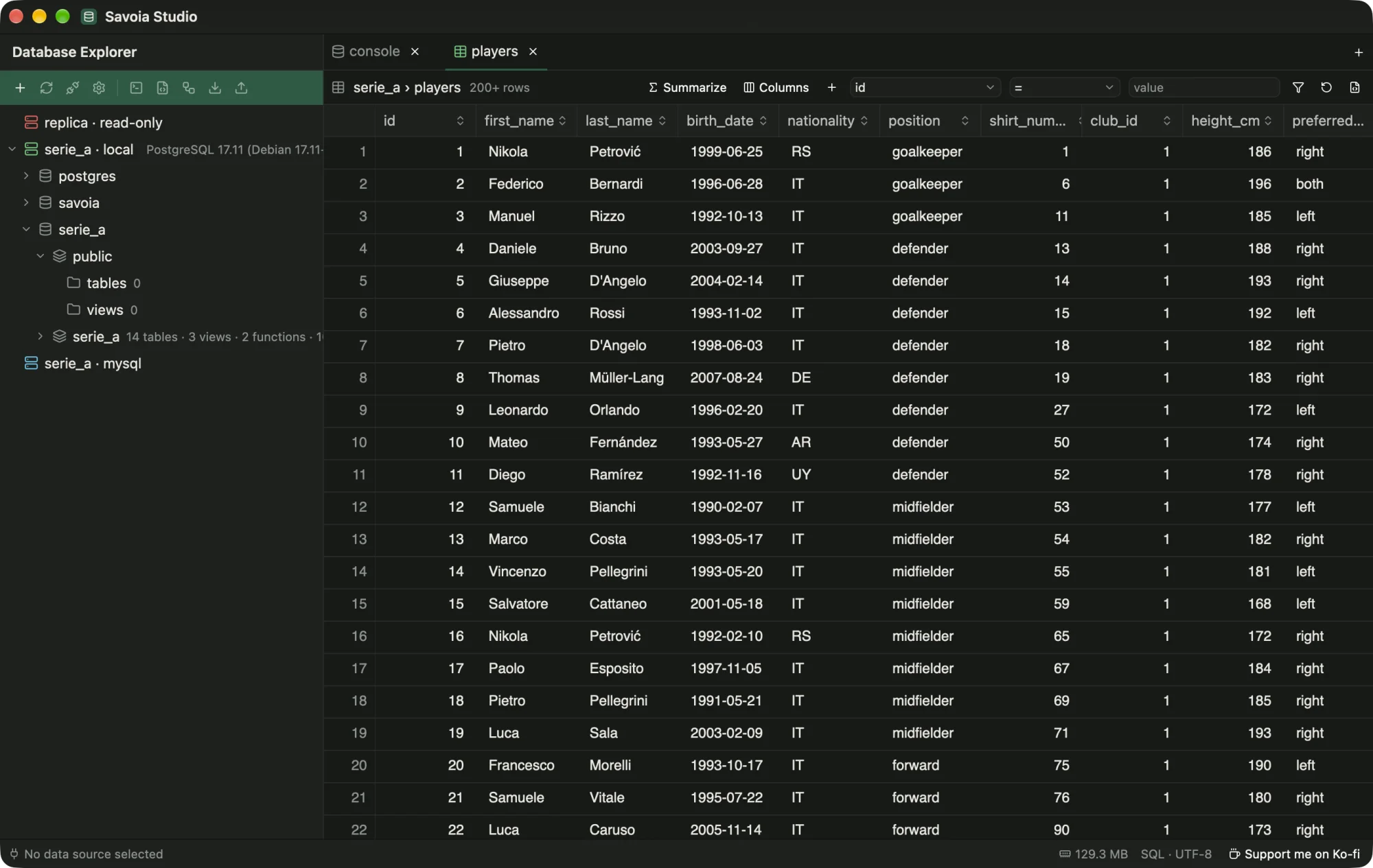
  • Data viewBrowse and filter tables without SQL, add columns through foreign keys, summarize, and edit with a SQL preview.
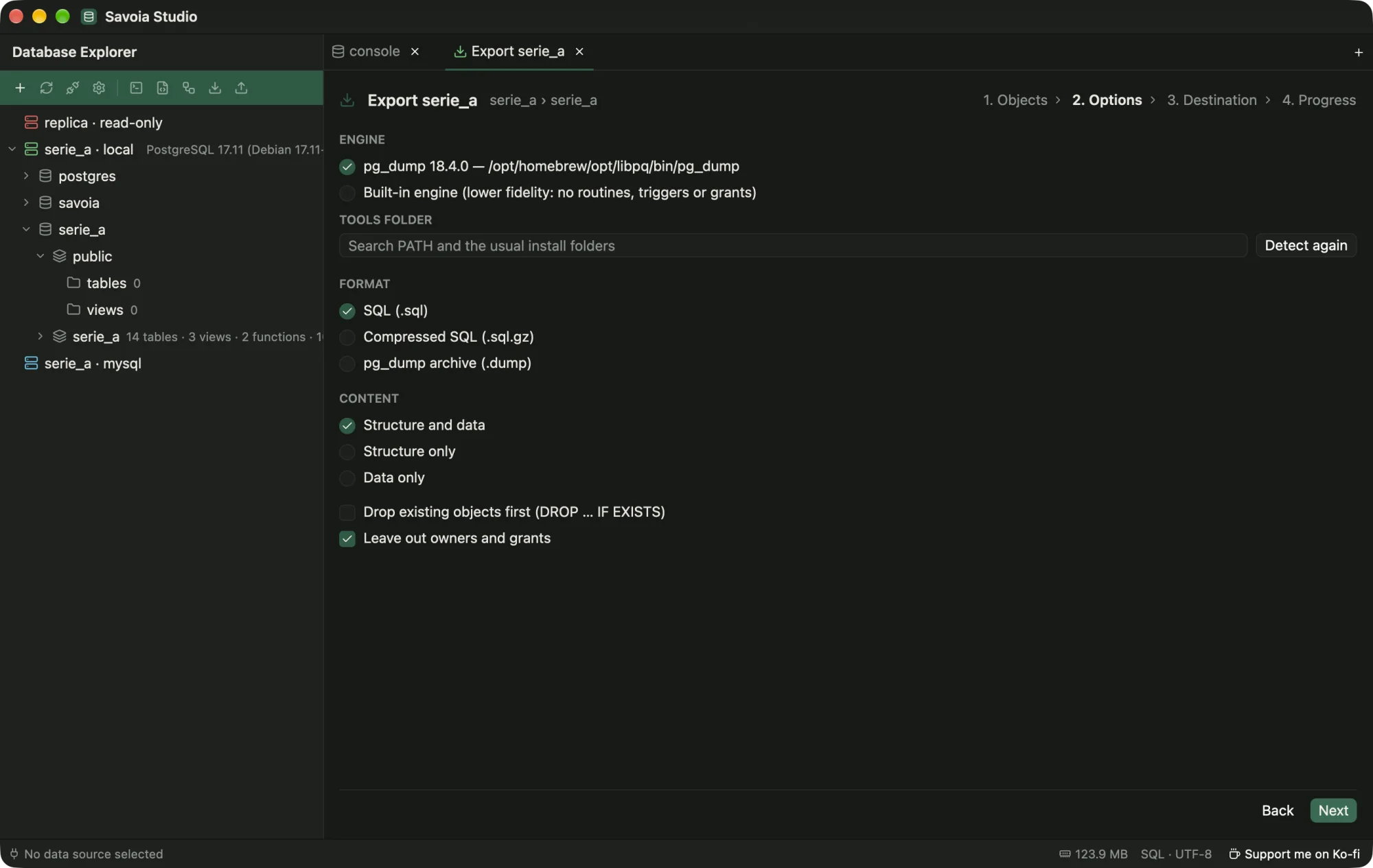
  • Dump and importUses your pg_dump, psql, mysqldump or mysql, or a built-in engine. SQL scripts and CSV.
  • ConnectionsTLS modes, SSH tunnels with known_hosts checks, read-only sessions and color tags.
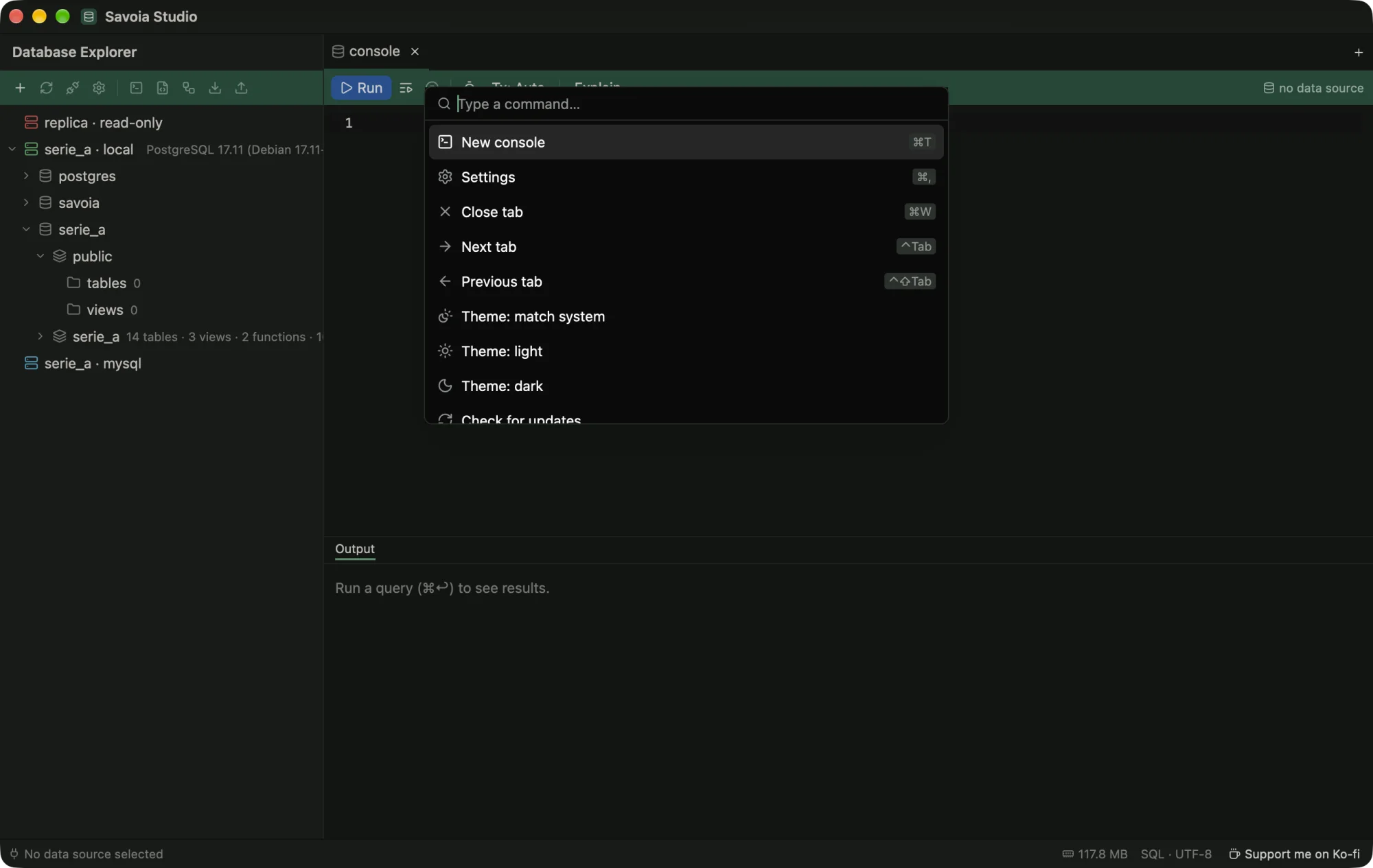
  • KeyboardA command palette (⌘⇧P) with every command and its shortcut. Light and dark themes that can follow your OS.
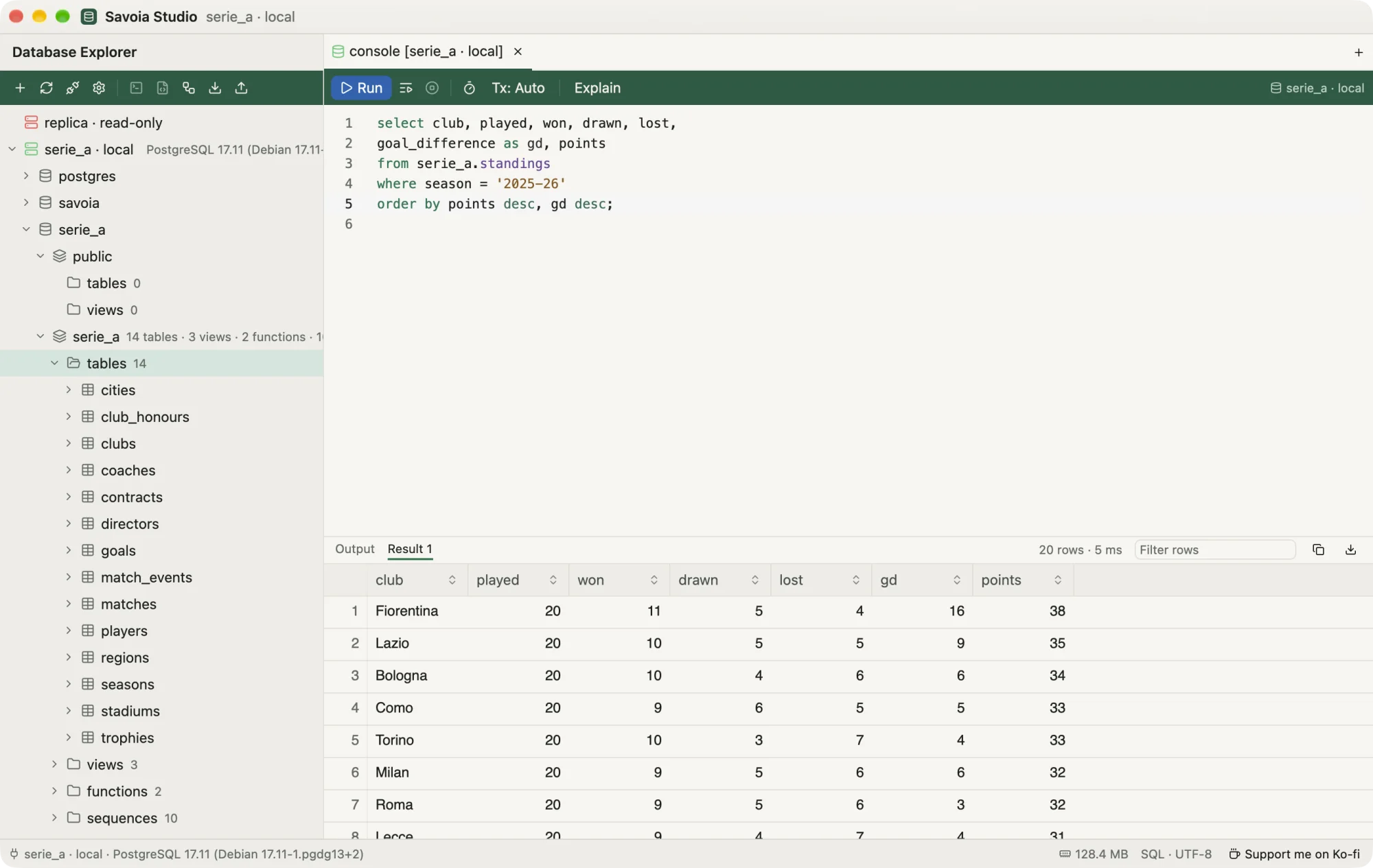
Savoia Studio in the dark theme. Savoia Studio in the light theme.
Graphite or Olivetti paper. Match system follows your OS as it switches.

More databases are on the way.

Savoia speaks PostgreSQL and MySQL today. Support for more engines is coming soon, and it will be free like everything else.

  • PostgreSQLSupported
  • MySQLSupported
  • MariaDBWorks through MySQL today; dedicated support coming
  • SQLiteComing soon
  • SQL ServerComing soon
  • MongoDBComing soon

Want one sooner, or one that isn't listed? Say so on GitHub.

Free, and it stays free.

No trial that runs out, no feature held back for a paid tier, no license server to call home. Savoia Studio is open source under MIT or Apache-2.0, free for personal and commercial use.

It is built and maintained by one person in the open. If it saves you time, the kindest thing you can do is tell a colleague about it. If you would like to do a little more, you can buy me a coffee on Ko-fi. It goes straight back into the project.

Gabriel QuaresmaMaker of Savoia Studio

Download it.

Pick the file for your system from the latest release. Savoia checks for updates when it starts and asks before installing anything.

macOS, Apple siliconsavoia-studio_<version>_aarch64.dmg
macOS, Intelsavoia-studio_<version>_x64.dmg
Windows…_x64-setup.exe or …_x64_en-US.msi
Debian, Ubuntusavoia-studio_<version>_amd64.deb
Fedora, openSUSEsavoia-studio-<version>-1.x86_64.rpm
Any Linuxsavoia-studio_<version>_x86_64.AppImage
Latest release

The installers are not code-signed yet, so macOS and Windows warn on first launch. How to open it anyway.